

Your clinic, available from anywhere.Beta 3.0
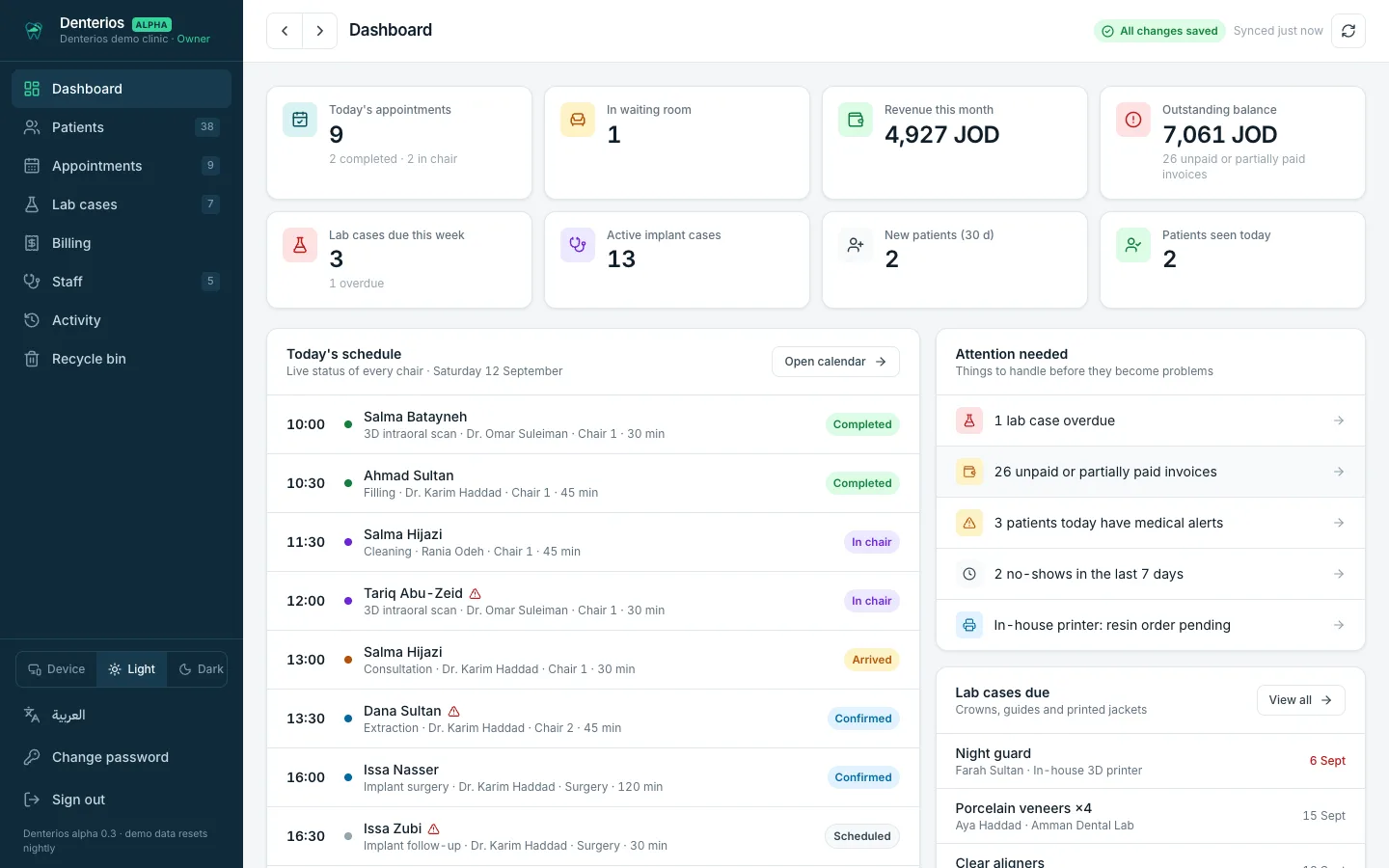
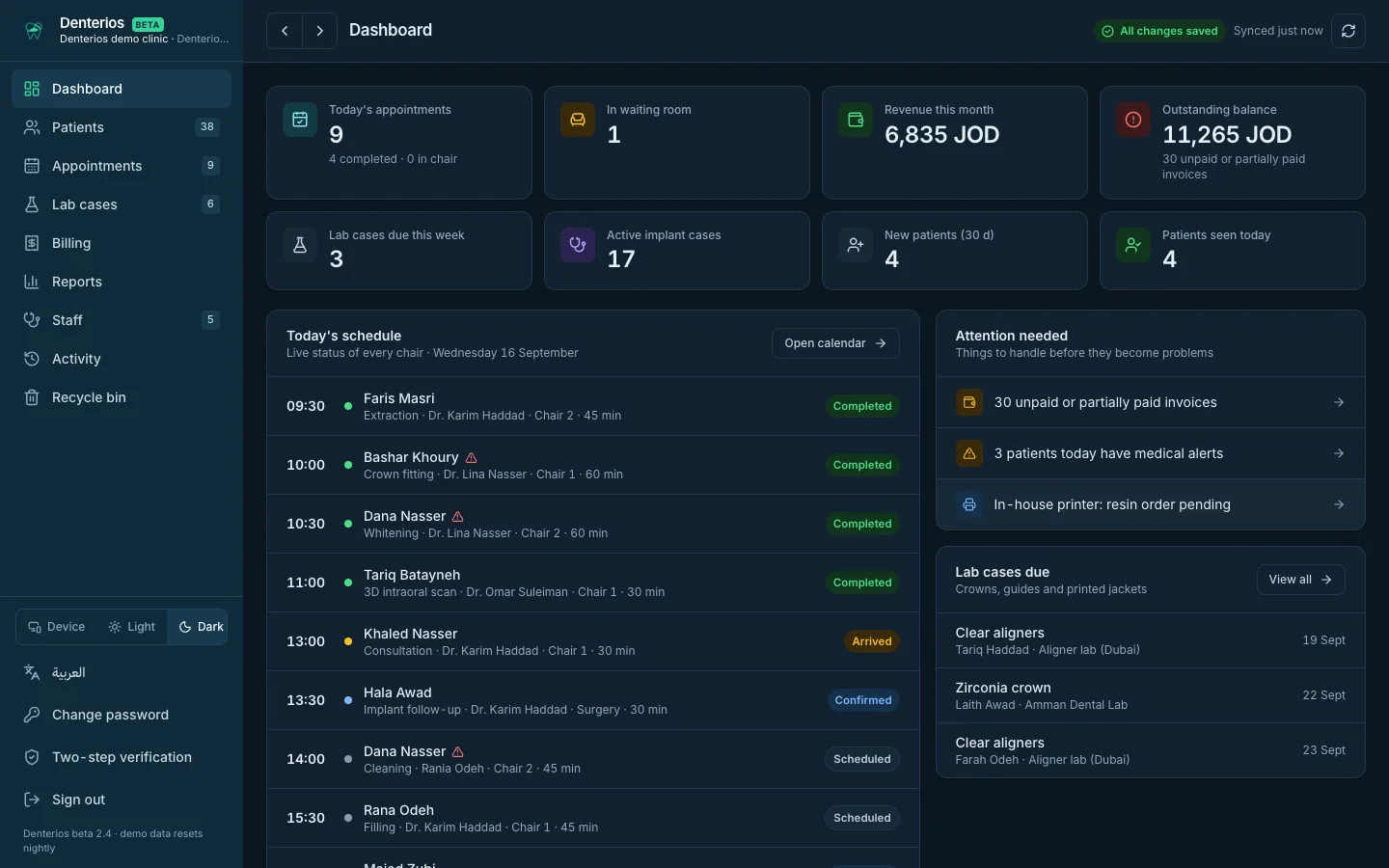
Patient records, tooth charts, every doctor's calendar, lab cases, billing and WhatsApp reminders in one secure cloud system. Nothing to install, nothing to back up, open it from any phone, tablet or computer.
Everything the front desk and the chair need
One screen per job, few clicks, and the same live data on every device in the building.
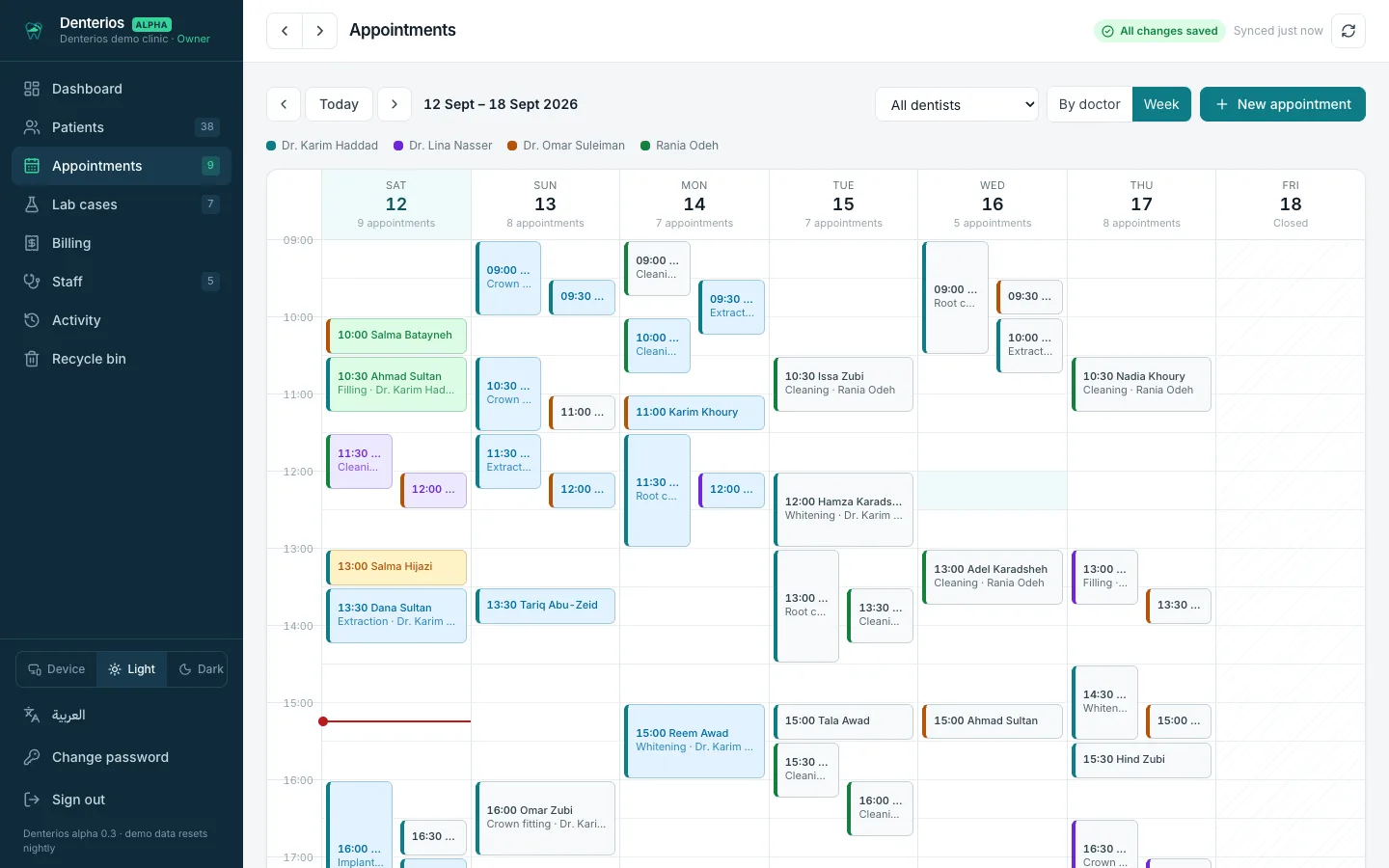
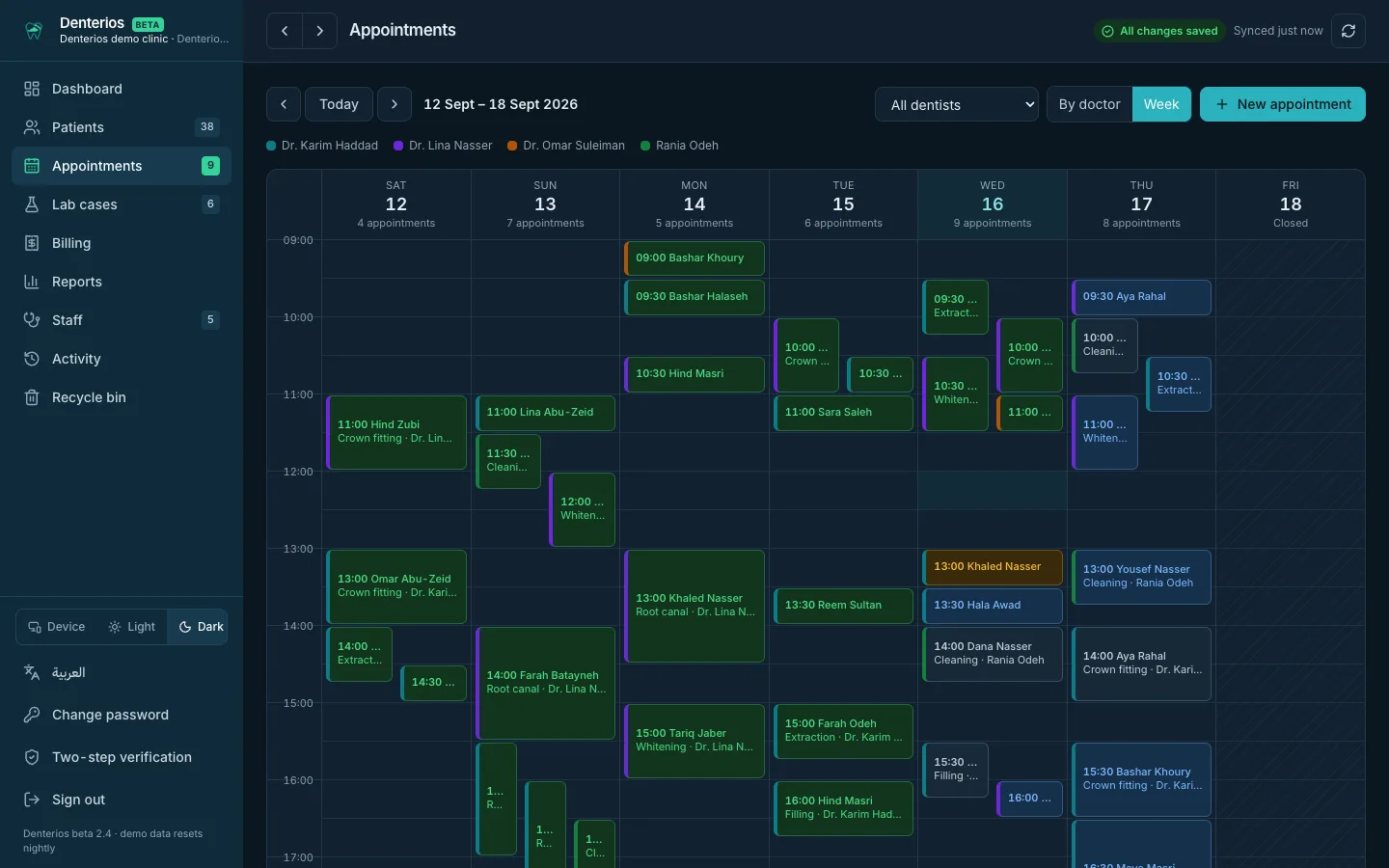
Multi-doctor calendar
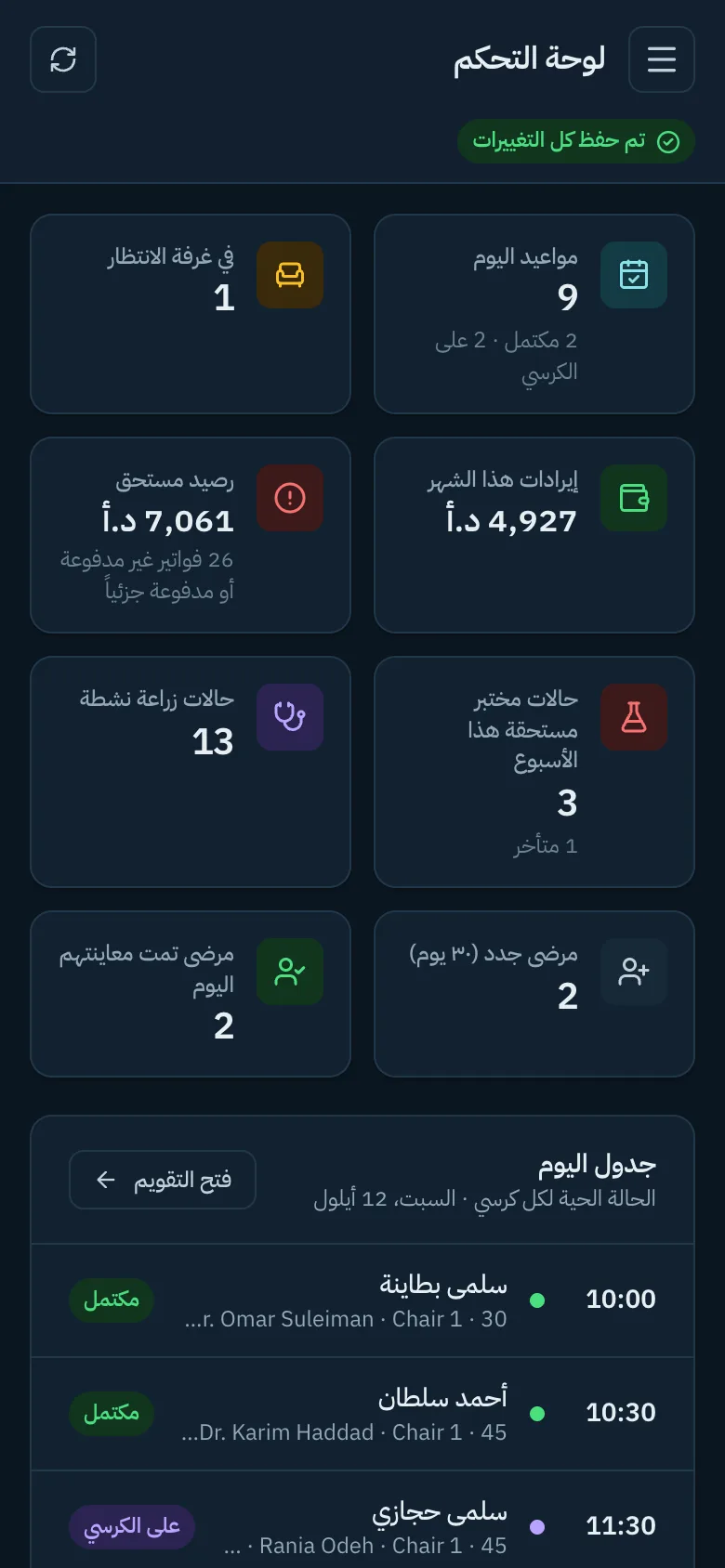
Week view across the clinic or one column per doctor. Click a slot to book, click an appointment to change its status: confirmed, arrived, in chair, done.
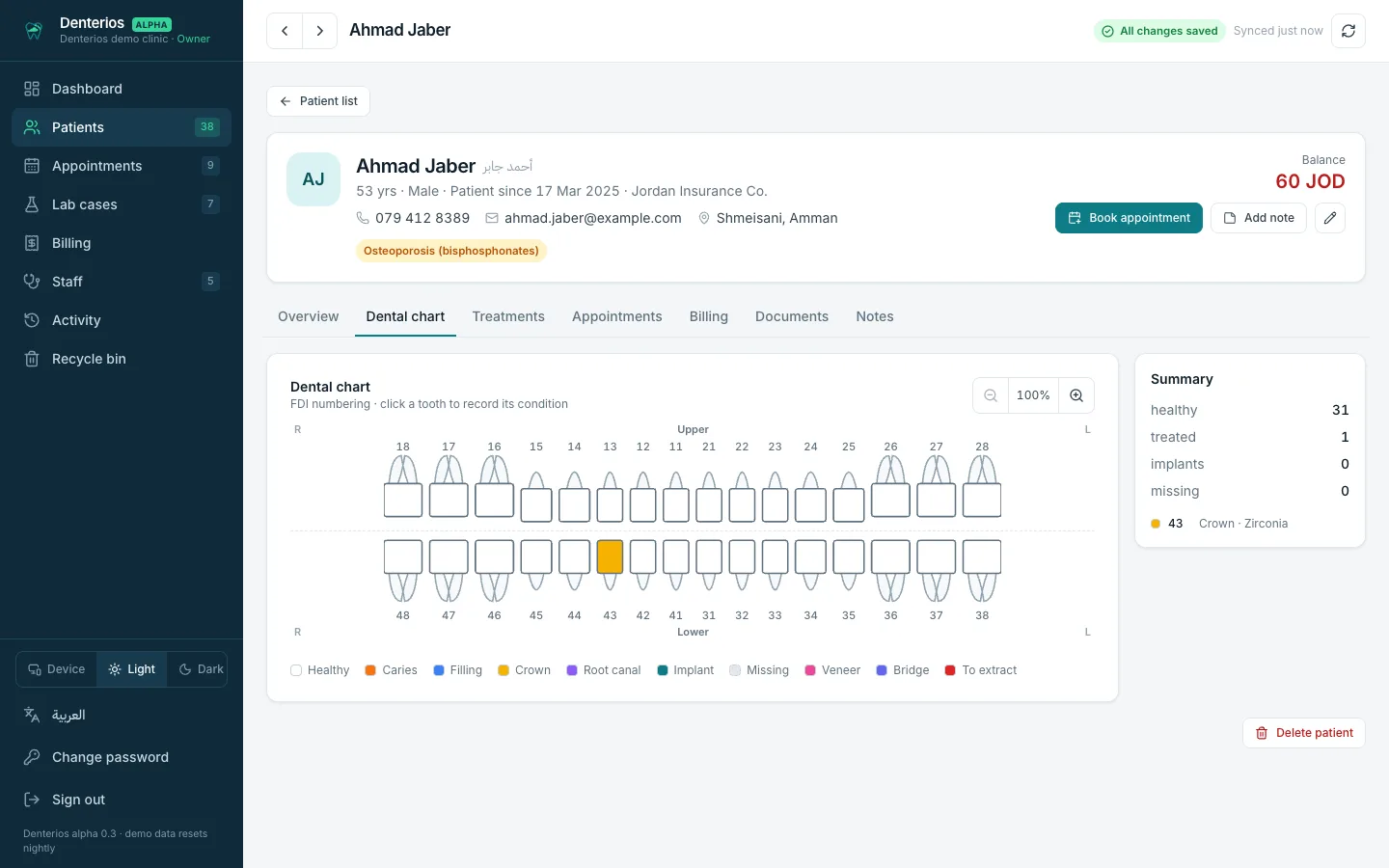
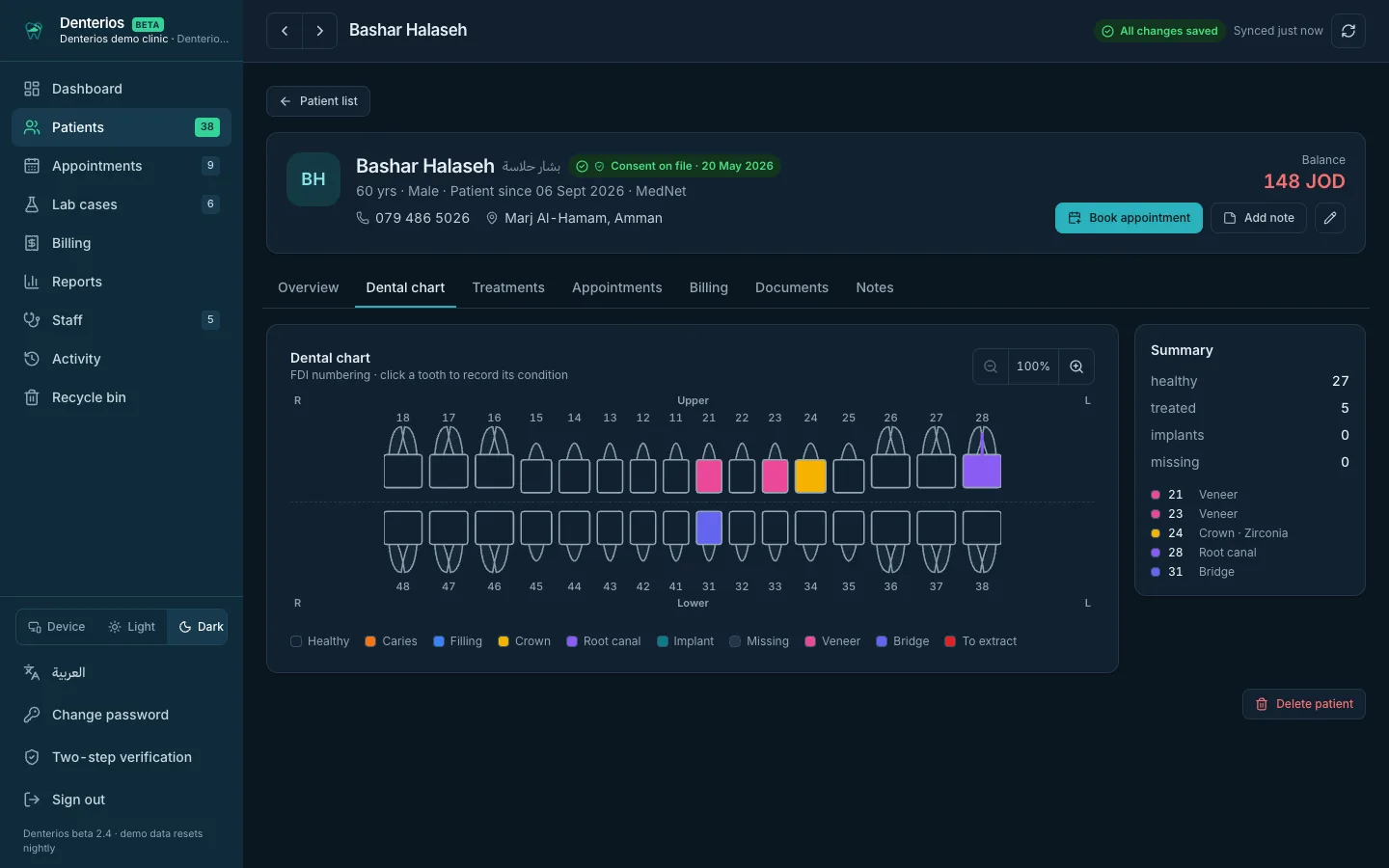
Interactive tooth chart
FDI numbering. Tap a tooth to record caries, filling, crown, root canal, implant or extraction, with a note. Saved instantly.
WhatsApp reminders
One tap opens WhatsApp with the reminder already written in Arabic or English. A daily checklist shows who still needs one.
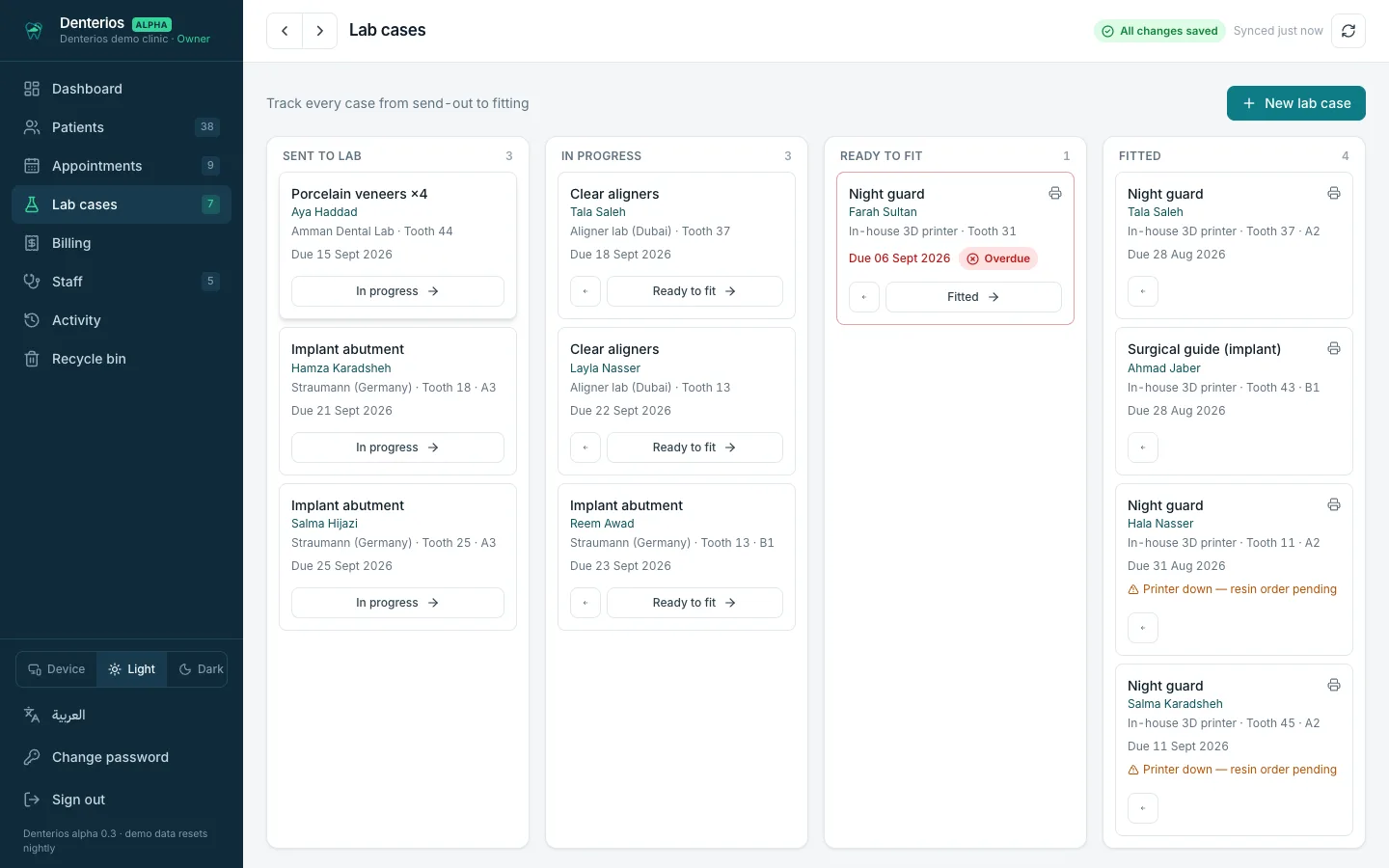
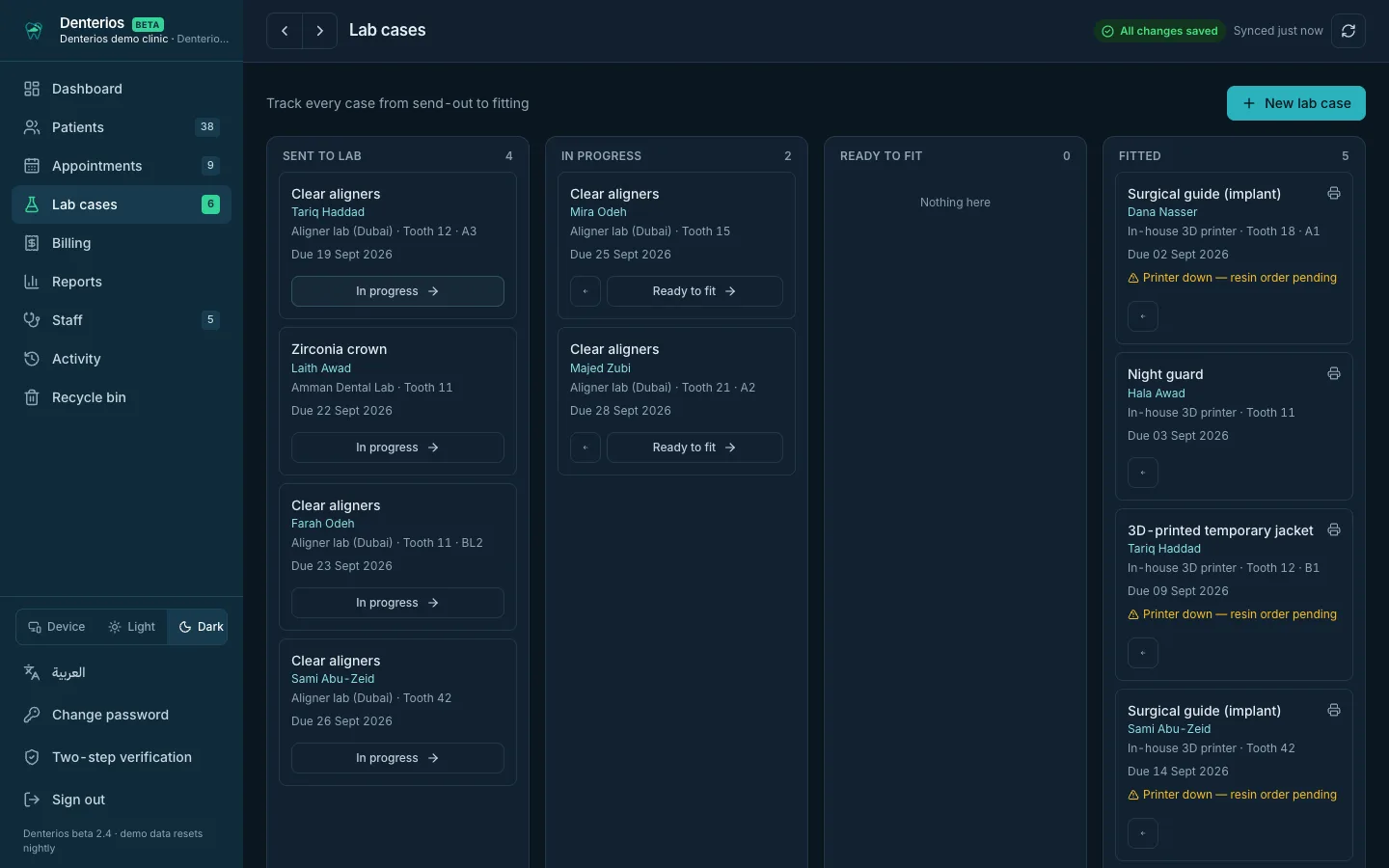
Lab case tracking
Crowns, aligners, guides and printed jackets from “sent” to “fitted”, with due dates and overdue flags.
Billing in JOD
Invoices, partial payments, cash, card, CliQ or insurance, and a live view of what is collected and what is outstanding.
Patient records
Medical alerts, allergies, treatment plan and history, appointments, invoices and clinical notes in one place. Deleted by mistake? Restore it from the recycle bin.
A login for every role
Owner, doctor and reception each get their own login. The doctor sees charts and treatments, reception sees the calendar and billing, the owner sees everything. Access can be ended in one click.
Estimates the patient takes home
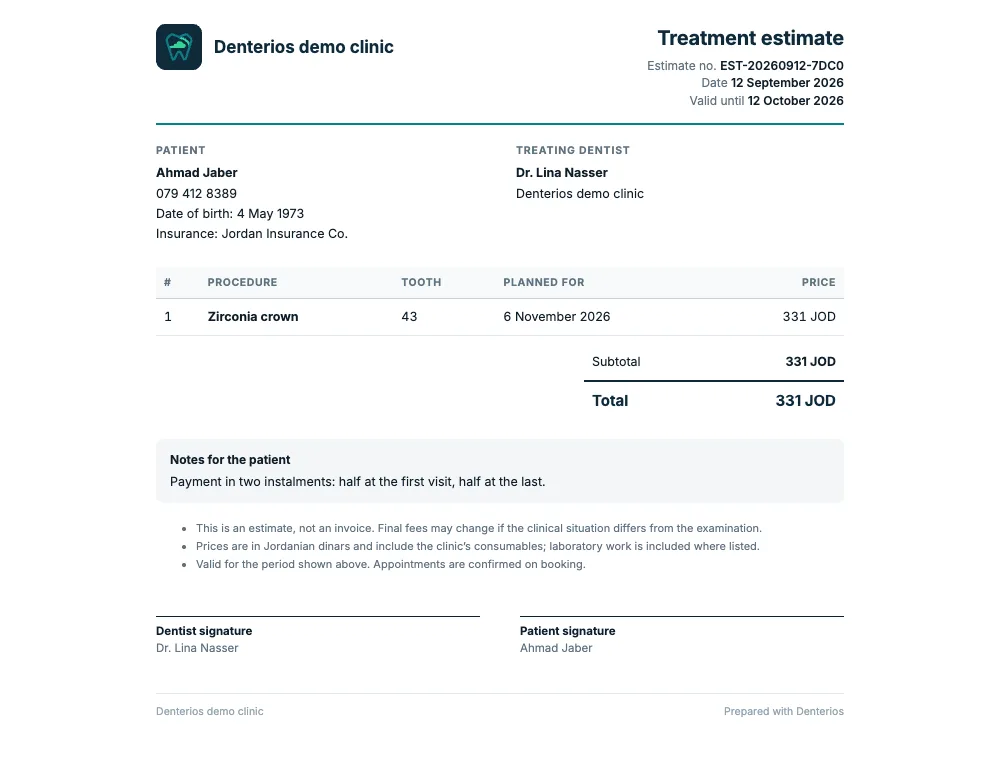
Turn a treatment plan into a printed or PDF estimate in Arabic or English, with your logo, prices in JOD, a validity date and signature lines. Ready in seconds at the chair.
The whole building on one calendar
Reception sees every chair at once. Each doctor filters to their own column. Overlapping appointments sit side by side instead of hiding each other.
- Statuses that reception actually uses
- Reschedule in two clicks
- Add a new doctor in twenty seconds
A chart you can read at a glance
Colour by condition, notes per tooth, a summary of treated, implanted and missing teeth. Works with a finger on a tablet at the chair.
Know where every lab case is
Sent, in progress, ready to fit, fitted. Overdue cases turn red before the patient arrives to collect a crown that isn't there.
An estimate in the patient's hand before they leave
Pick the planned treatments, choose Arabic or English, add a discount or a payment note, and print or save a PDF with your clinic's name and logo. The patient signs it and takes it home.
- Prices come straight from the treatment plan
- Validity date and terms on every estimate
- Works on a phone or tablet, no printer needed for the PDF
Why clinics choose Denterios
Most clinic software is hosted who-knows-where and supported by a ticket queue. This is different by design.
Your data stays yours
Exportable any time, in standard formats. Subscribe monthly or yearly, or take a perpetual licence. No per-doctor fees, no lock-in.
Support in person
Set-up, migration from your current system, and training at the clinic, by the people who built it.
Arabic first
Every screen, in both languages, with proper right-to-left layout. Not a translation bolted on.
Dark mode, phones, tablets
Comfortable in a dim X-ray room, usable on a phone at 10pm, at home or on the road.
How it works
From first look to a clinic running on it, usually within two weeks.
See it
A 30-minute demo at your clinic or online, in Arabic or English, with your questions answered on the spot.
Move in
We migrate your patients and appointments from your current system or paper, set up every doctor, and train reception.
Run it
Cloud hosting, backups, updates and a named person to call, all included in your plan.
Questions clinics ask
Where is our data stored?
On Amazon Web Services, encrypted at rest and in transit, replicated across three data centres. The region is agreed with you to satisfy Jordan's Personal Data Protection Law.
What happens if the internet goes down at the clinic?
The system keeps working from any phone on mobile data, and nothing is lost: there is no laptop in the back room holding the only copy.
Can we keep our current records?
Yes. Migration from your existing software, spreadsheets or paper is part of the set-up.
Does it work with our X-ray and scanner?
Images and 3D scans attach to the patient and tooth. Bridges to specific devices are scoped per clinic.
Who in the clinic can see what?
Each person signs in with their own login and role. Reception handles the calendar, patient details, reminders and billing but cannot change a chart or a clinical note. Doctors have the clinical side. The owner sees everything, including the activity log and the recycle bin. Every sign-in and change is recorded.
How much does it cost?
Set-up, migration and training are included. Subscribe monthly or yearly, or take a perpetual licence, paid at once or over 24 months. Ask for a quote; there are no per-doctor fees.
Book a demo
Thirty minutes, at your clinic or online. Bring your hardest scheduling day.